





Logo

AI Product Photo Studio

Elevate ordinary product snapshots to polished e-commerce visuals with AI. Swap messy backgrounds for pristine studio settings, layer in luxurious surface textures, and apply commercial-grade lighting — all with a single click.

Product Photo*
0 / 500
*

AI Product Photo Studio Gallery

See how AI transforms casual product photos into professional studio shots. Compare original images with studio results across multiple AI models.

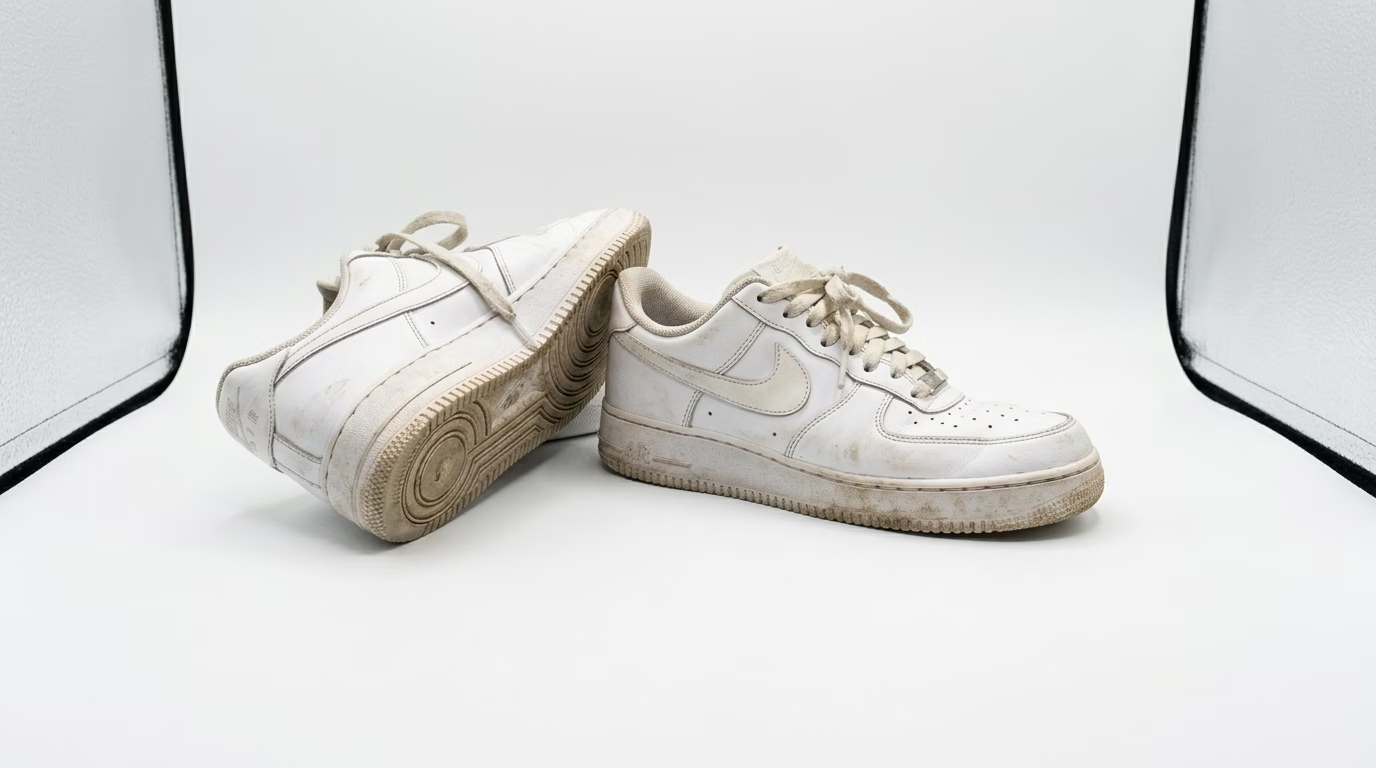
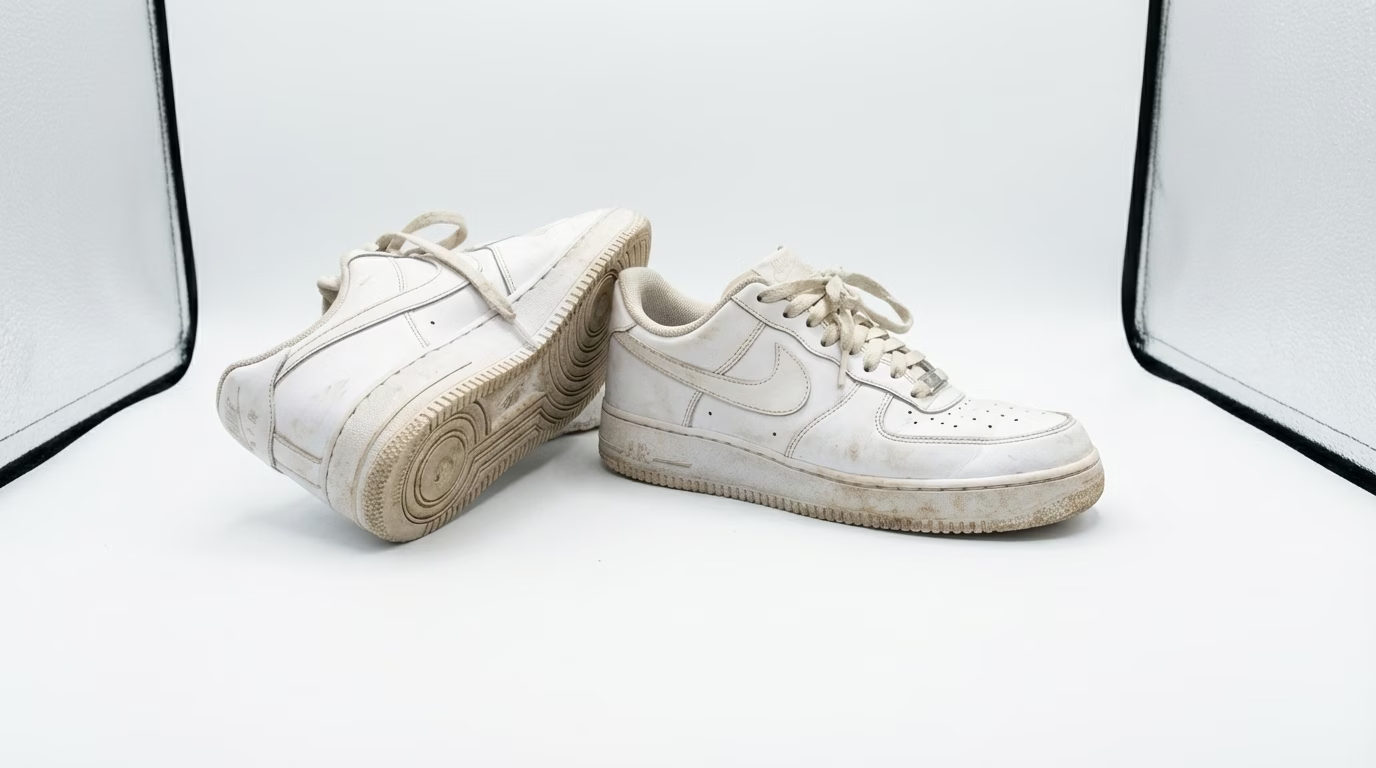
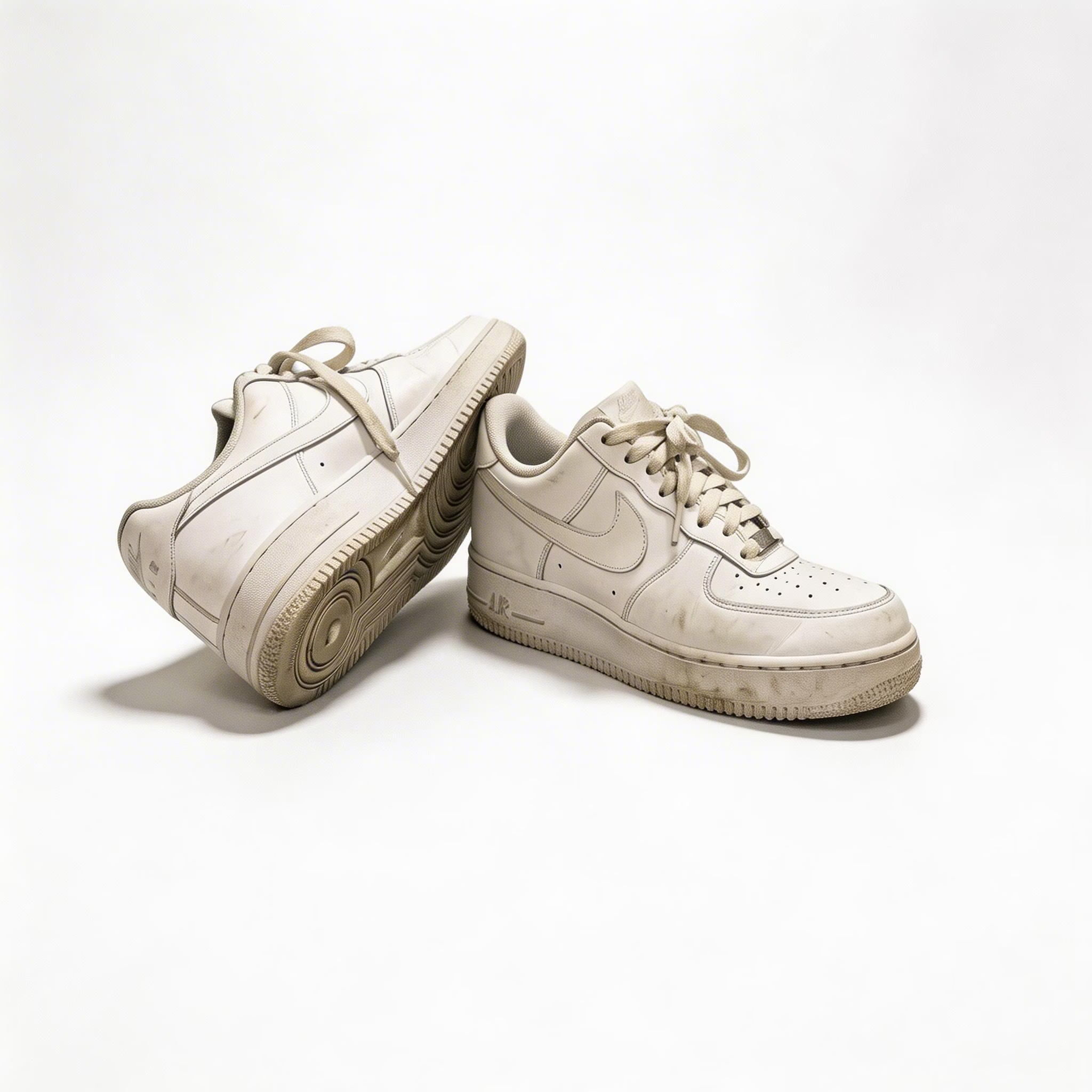
Sneakers: Carpet to White Studio
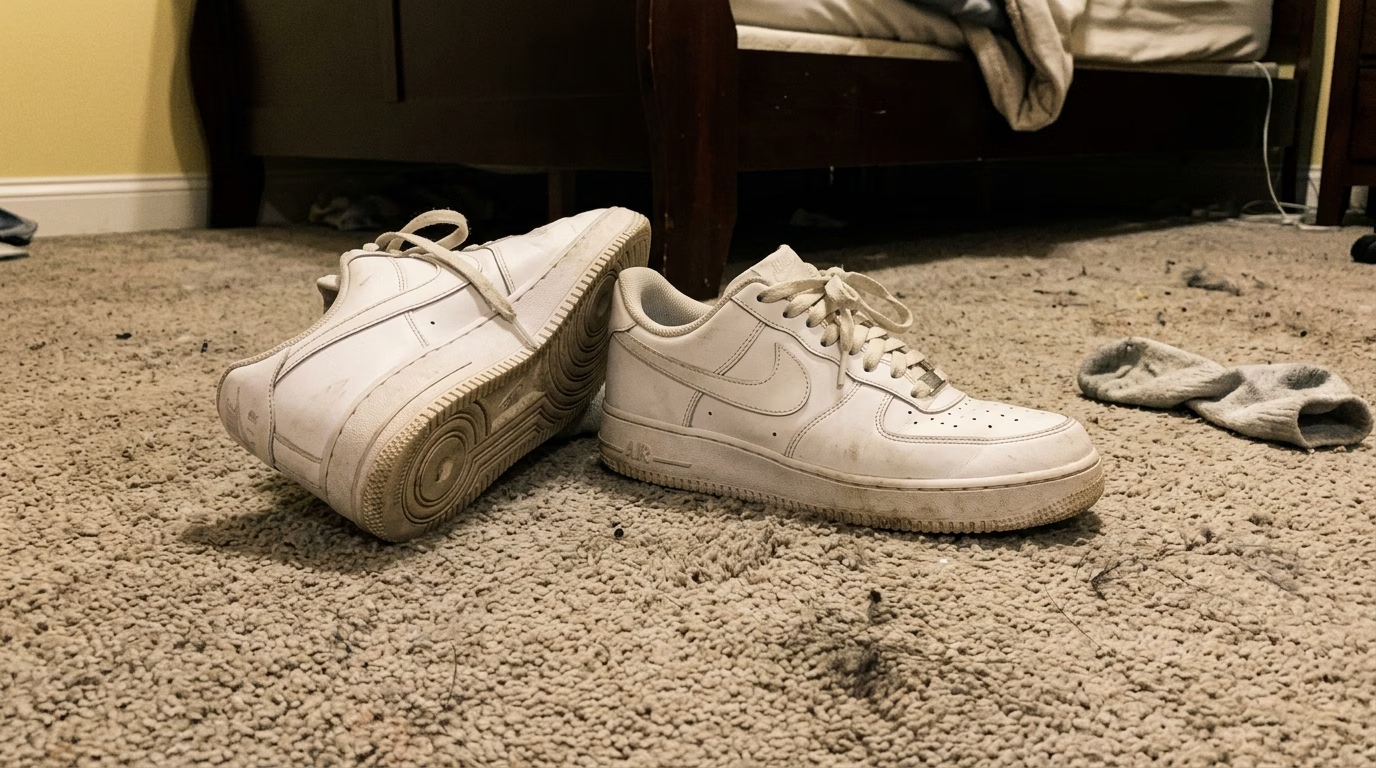
White Studio - Original
Original
White Studio - Nano Banana 2
Nano Banana 2
White Studio - Nano Banana Pro
Nano Banana Pro
White Studio - Seedream 5
Seedream 5

Transform a casual carpet shot into a clean white studio product photo

AI Product Photo Studio Capabilities

Produce professional product visuals for online stores with intelligent AI tools. Diverse scene options and material choices for every product niche.

Crisp White Backdrop

Spotless, professional white studio backdrop that meets the requirements of Amazon, Shopify, and all major online marketplaces

Luxury Surface Textures

Showcase products on marble, natural wood, woven fabric, raw concrete, or polished glass for an upscale photography aesthetic

Configurable Studio Lighting

Pick from diffused soft light, daylight natural, high-contrast dramatic, bright commercial, or cozy warm tones to align with your brand identity

Real-World Context Scenes

Auto-generate lifestyle environments that position products in authentic everyday usage scenarios

How to Use AI Product Photo Studio

Generate professional product imagery in three straightforward steps

1

Upload Your Product Shot

Pick and upload your product photo. JPEG and PNG are both accepted. Choose a scene category (Clean White, Lifestyle Context, Seasonal Theme, Pro Studio Light, or Freeform Custom), a surface texture (Marble, Wood, Fabric, Concrete, Glass, or None), and your preferred lighting style.

2

AI Builds the Studio Scene

Our neural network precisely extracts the product from the original photo and places it within the chosen studio environment. Professional lighting is applied, natural-looking shadows and reflections are generated, and the product is blended seamlessly into its new setting.

3

Download Store-Ready Imagery

Once the AI finishes, download your polished product image in high resolution instantly. The output is fully prepared for e-commerce listings, digital ad campaigns, product catalogs, or any commercial application.

AI Product Photo Studio FAQ

The AI Product Photo Studio employs neural network models to precisely extract your product from its original surroundings, then composites it into a professional studio setting. Background removal, scene composition, surface texture layering, light positioning, and realistic shadow/reflection generation all happen automatically.
Five scene categories are offered: Clean White (standard e-commerce look), Lifestyle Context (authentic real-world settings), Seasonal Theme (holiday and seasonal backdrops), Pro Studio Light (controlled studio environments), and Freeform Custom (describe any scene you envision). Each scene pairs with your choice of surface material and lighting style.
Six surface options are at your disposal: Marble (classic white/grey veining), Wood (warm natural grain patterns), Fabric (soft woven textures), Concrete (raw industrial aesthetic), Glass (sleek reflective finish), and None (no surface, product floats cleanly). These textures bring a premium feel to your product imagery.
The AI performs well across most product types: footwear, handbags, consumer electronics, kitchen items, skincare, jewelry, packaged food, and beyond. Items with sharp edges and recognizable silhouettes produce the crispest results. Even products photographed on cluttered tables or random surfaces are handled smoothly.
Yes! Choose the Freeform Custom scene option and type out the environment you want. Specify backdrop details, props, textures, and overall vibe. We also offer quick-start prompt tags for popular verticals like Food & Drink, Fashion & Accessories, Technology, and Beauty & Wellness.
Credit costs scale with the AI model and resolution you select: 1K output starts at 3 credits, 2K at 5 credits, and 4K ranges from 5 to 20 credits depending on the model. Scene type and surface material selections have no effect on pricing. New accounts receive complimentary credits to test the tool.

Flexible AI Pricing

Pay-as-you-go credits or subscription plans. No hidden fees, cancel anytime.

Free

Try before you buy

0
One Time
USD
Free
32credits
Up to 32 images
Up to 5 videos
Watermark Free
Commercial Use
Private Tasks
Popular

Pro

For professionals and teams

39.99
1 Month
USD
1K
1000credits1 Month
Up to 1000 images1 Month
Up to 166 videos1 Month
Watermark Free
Commercial Use
Private Tasks

Lite

Perfect for beginners

19.99
1 Month
USD
400credits1 Month
Up to 400 images1 Month
Up to 66 videos1 Month
Watermark Free
Commercial Use
Private Tasks