




🚀 Motion Control, Leveled Up Newly upgraded Motion Control is now live in Kling VIDEO 2.6! Experience precise, full control over every action & expression ✅ Full-Body Motions — Body movements captured in stunning detail ✅ Fast & Complex Actions — From martial arts to Show more


Kling 2.6 Motion Control
Transform still images into dynamic videos by transferring motion from reference clips. Upload a character image and a motion reference video (dance, action, gesture), and Kling 2.6 Motion Control extracts the movement to generate smooth, realistic animated videos. Available in Standard and Pro versions with durations up to 30 seconds.
Public
Motion Control Examples
See how Kling 2.6 Motion Control transfers motion from reference videos to animate still images
Input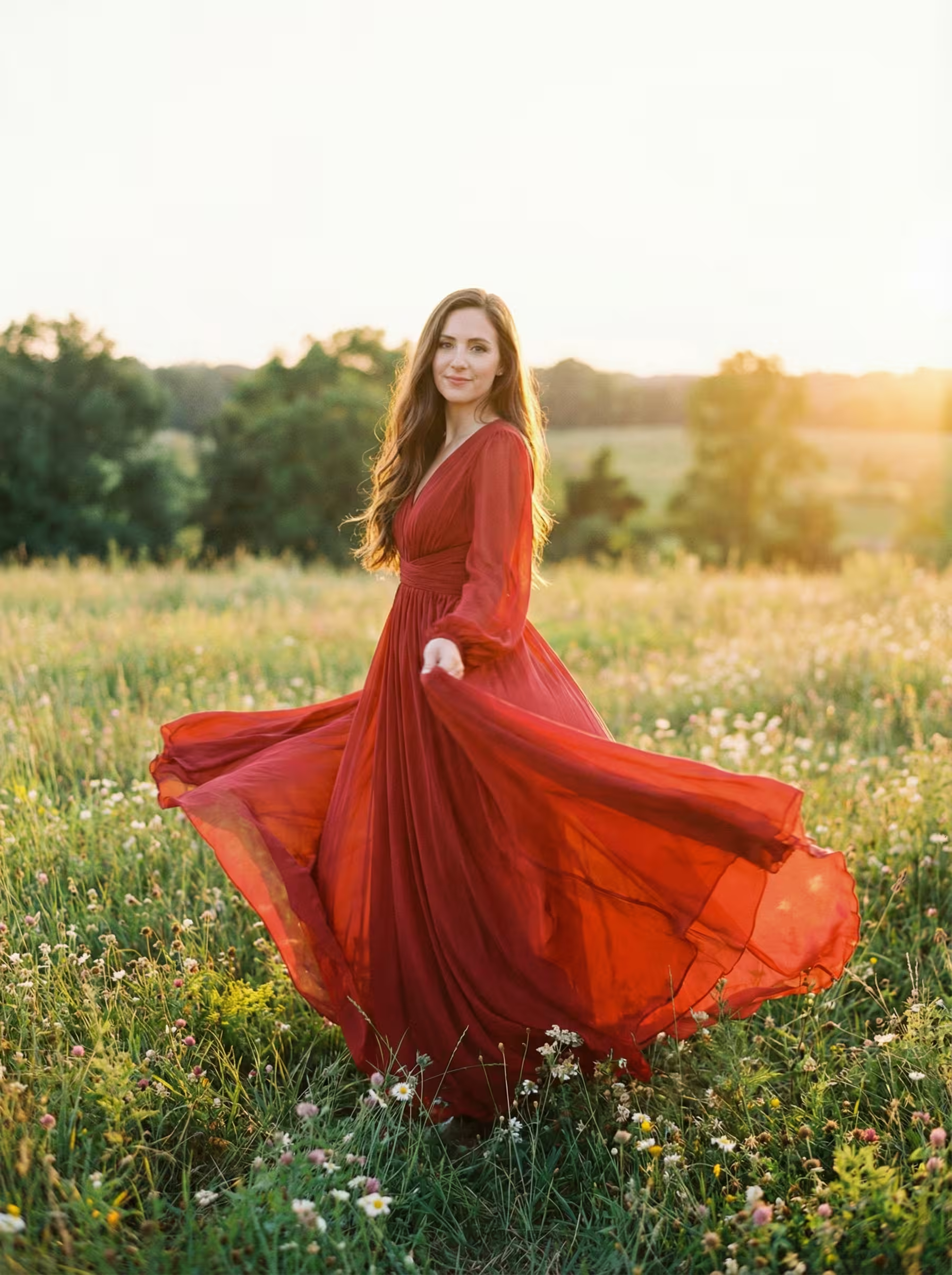
Output
Pro Example 1
Kling 2.6 Motion Control YouTube Videos
Watch demonstrations and tutorials showcasing Kling 2.6 Motion Control's powerful motion transfer technology for animating still images
- MOTION CONTROL in Kling Video AI – Full Beginner Tutorial - AI. Now Y'Know
- NEW Kling 2.6 Motion Control is INSANE - Future of Film-making - Creative Pad Media
- Full Body Capture With Kling 2.6 Motion Control On OpenArt - OpenArt
- This is the Future of Music Videos: Kling 2.6 Multi-Angle Motion Control - Glif
Kling 2.6 Motion Control YouTube Videos
Watch demonstrations and tutorials showcasing Kling 2.6 Motion Control's powerful motion transfer technology for animating still images
Kling 2.6 Motion Control Popular Reviews on X
See what people are saying about Kling 2.6 Motion Control on X (Twitter)
🎥 Kling 2.6 Motion Control Feature Is Now Live! To celebrate the launch of Kling 2.6 Motion Control Feature, we’re kicking off a new challenge - Kling 2.6 Motion Control Classic Action Scene Challenge, and the prizes are one post away from you! 🔥 Show us your creative power Show more


Kling 2.6 motion control is crazy it can precisely control both body motion and expression.. up to 30 seconds

🚀 Motion Control, Leveled Up Newly upgraded Motion Control is now live in Kling VIDEO 2.6! Experience precise, full control over every action & expression ✅ Full-Body Motions — Body movements captured in stunning detail ✅ Fast & Complex Actions — From martial arts to

Totally agree! The latest Kling 2.6 updates with Motion Control and native audio-visual generation are next-level—super realistic movements and character swaps that blow Runway and WAN 2.2 out of the water Just tried it myself and the precision is insane. Definitely checking out Show more

Honestly impressed by how far @Kling_ai has come. Side-by-side with Runway and WAN 2.2 Animate, Kling AI clearly leaves them in the dust 🤯 You can try the new Kling AI here: → klingai.com

Kling cooked so hard with this new Motion Control. Don't like the way your character moves? Take control of it yourself. With this, motion capture from home is activated. It's fast, it's cheap, it's easy, it works! @Kling_ai
🚀 Motion Control, Leveled Up Newly upgraded Motion Control is now live in Kling VIDEO 2.6! Experience precise, full control over every action & expression ✅ Full-Body Motions — Body movements captured in stunning detail ✅ Fast & Complex Actions — From martial arts to

Motion Control lands on Higgsfield with Kling 2.6. Transfer real motion to any character, from dance and acting to micro-gestures, all in a single smooth shot. One motion video and one face image drive the entire performance. More examples below 👇🏻

Lo dije según lo probé y me pareció que no se le estaba dando la importancia que merecía, pero el Motion Control de Kling 2.6 es una locura de lo bien que funciona! Qué ganas de tener una alternativa con calidad similar open source

This opens up a completely new workflow for artists when it comes to shooting music videos. Take one performance and place it into multiple locations from multiple angles. By combining Kling 2.6 Motion Control with our Multi-Angle Fashion Shoot agent, we generate multiple

kling 2.6 motion control on @higgsfield_ai 🔥🔥
Clone Any Dance Move for TikTok Viral Videos | Kling Motion Control
Turn yourself into a TikTok dance star. Kling Motion Control clones trending choreography onto your photo in seconds. No dance skills needed - just upload and go viral.
MotionTransfer
2 TiersQuality Options
30sMax Duration
AudioPreservation
Stop watching viral dances from the sidelines. Kling Motion Control lets you steal any dance move and put it on your own image - perfect for TikTok trends, dance challenges, and content that actually gets views.
MotionTransfer
2 TiersQuality Options
30sMax Duration
AudioPreservation
Clone Any Dance Move for TikTok Viral Videos | Kling Motion Control
Turn yourself into a TikTok dance star. Kling Motion Control clones trending choreography onto your photo in seconds. No dance skills needed - just upload and go viral.
Stop watching viral dances from the sidelines. Kling Motion Control lets you steal any dance move and put it on your own image - perfect for TikTok trends, dance challenges, and content that actually gets views.
Kling 2.6 Motion Control Features
Discover powerful motion transfer technology that brings your still images to life with professional-grade animation
Motion Transfer Technology
Advanced AI extracts motion patterns from reference videos and applies them to your still images. Dance moves, actions, and gestures are precisely captured and transferred to create natural-looking character animations.
Dual Reference Input System
Upload both a character image and a motion reference video. The model analyzes the reference video's movements while preserving your character's appearance, creating a seamless fusion of identity and motion.
Character Orientation Control
Choose whether the output character follows the orientation from your image or the reference video. This flexibility ensures the final animation matches your creative vision for pose and direction.
Standard and Pro Quality Options
Select between Standard quality for faster generation and cost-efficiency, or Pro quality for superior motion accuracy and visual fidelity. Both versions deliver smooth, professional-grade animations.
Extended Video Duration
Generate videos up to 30 seconds long, allowing for complete dance routines, extended action sequences, and more complex motion performances than typical AI video generators offer.
Original Audio Preservation
Keep the original sound from your reference video in the generated output. Music, rhythm, and sound effects from dance videos transfer seamlessly to maintain the complete audiovisual experience.
Prompt Enhancement Support
Add optional text prompts to guide the generation process. Describe specific details or modifications you want to see, giving you additional creative control over the final output.
Multi-Format Compatibility
Supports popular image formats (PNG, JPEG) and video formats (MP4, MOV) for maximum workflow flexibility. Upload your existing content without format conversion headaches.
Negative Prompt Control
Use negative prompts to exclude unwanted elements from your generated videos. Specify what you don't want to appear for more precise control over the final result.
Realistic Motion Physics
The AI understands natural body mechanics and physics, ensuring transferred motions look believable with proper weight distribution, momentum, and timing in the generated animations.
Kling 2.6 Motion Control Frequently Asked Questions
Still have questions?
Standard version offers faster generation at a lower credit cost, ideal for testing ideas and quick iterations. Pro version provides higher visual fidelity, more accurate motion transfer, and smoother animations. Standard supports durations of 3s, 6s, 10s, and 30s, while Pro supports 5s, 10s, 15s, and 30s.
Videos with clear, well-lit subjects and visible full-body movements work best. Dance videos, fitness routines, action clips, and gesture demonstrations all produce excellent results. Avoid videos with multiple people, rapid camera movements, or heavily occluded subjects for optimal motion extraction.
Character Orientation determines whether the output character faces the same direction as in your source image or follows the orientation from the reference video. Choose 'Image' to preserve your character's original facing direction, or 'Video' to have the character match the reference video's orientation.
Yes, the Keep Original Sound option preserves the audio from your motion reference video in the generated output. This is perfect for dance videos where you want the character to move in sync with the music. Simply enable this option before generating.
For images, PNG and JPEG formats are supported with a maximum file size of 10MB. For motion reference videos, MP4 and MOV formats are supported, also with a maximum size of 10MB. The duration of your generated video depends on the length of your reference video.
Credits are calculated based on version and duration. Standard version: 21 credits (3s), 42 credits (6s), 70 credits (10s), 210 credits (30s). Pro version: 56 credits (5s), 112 credits (10s), 168 credits (15s), 336 credits (30s). The actual output duration matches your reference video length.
How to Use Kling 2.6 Motion Control
Transfer motion from reference videos to animate still images with professional-grade quality using Kling 2.6 Motion Control
1
Upload Your Reference Image2
Upload Motion Reference Video3
Configure Settings and GenerateSelect a high-quality character image that you want to animate. The image should have a clear, well-defined subject with good lighting and resolution. Portrait images, full-body shots, or character illustrations work best. The model will extract the character and apply motion to it while preserving visual details.
Flexible AI Pricing
Pay-as-you-go credits or subscription plans. No hidden fees, cancel anytime.